Windows 365 Switch is a cool feature that comes in Windows 11 that allows users to navigate between their local Windows instance and their Windows 365 Cloud PC using Task View. With Task View, they can “switch” between their local computer and their cloud PC. You will need to be using the Windows App to access your Cloud PC to use this feature. Setting this up is extremely easy!
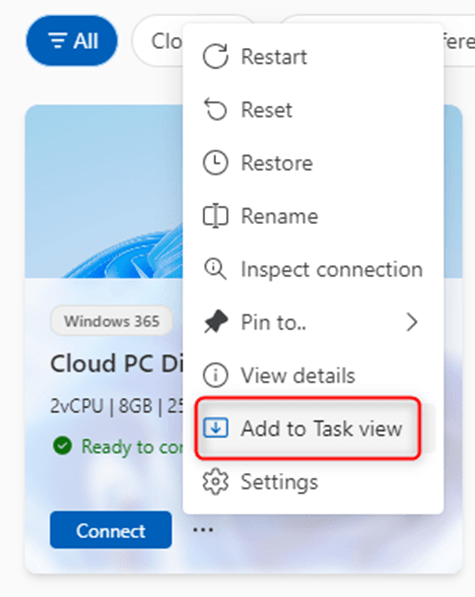
- From the Windows App, select the Cloud PC that you want to be available with Windows 365 Switch and click on the user action menu (three dots).
2. Select “Add to Task view.”
Big Chris Notes: You can only add one Cloud PC to use with Windows 365 Switch.
Once added, you can select your Cloud PC as a “desktop” with Task View!


 Big Chris's Cloud PC Chronicles
Leave a comment